Installation
Elide installs as a single native binary. Use the one-line installer for most macOS, Linux, and WSL setups; use package repositories or native installers when you need managed updates; use manual downloads when you need a specific release artifact or checksum.| Platform need | Recommended path |
|---|---|
| macOS, Linux, or WSL quick setup | One-line Script |
| Debian or Ubuntu managed updates | Package Managers |
| Windows native install | Installers |
| Pinned release, checksum, or archive | Manual Downloads |
Release channel
Some package and installer links point at the latest nightly build. For a specific version or artifact, use the Manual Downloads tab and verify checksums from the release page.
On macOS, Linux, or Windows via WSL:
bash
The installer script can take options: curl -sSL --tlsv1.2 elide.sh | bash -s -bash
curl -sSL --tlsv1.2 elide.sh | bash -s - --helpContainer Images →
Elide ships as container images, too. You can use Elide from Docker:
shell
docker run --rm -it elide.dev/bashTesting your installation
After installing Elide, follow these steps to verify the installation:
1. Make sure Elide is on your PATHshell
2. Run --help:
$  which elide
/some/path/to/elideshell
$ elide --help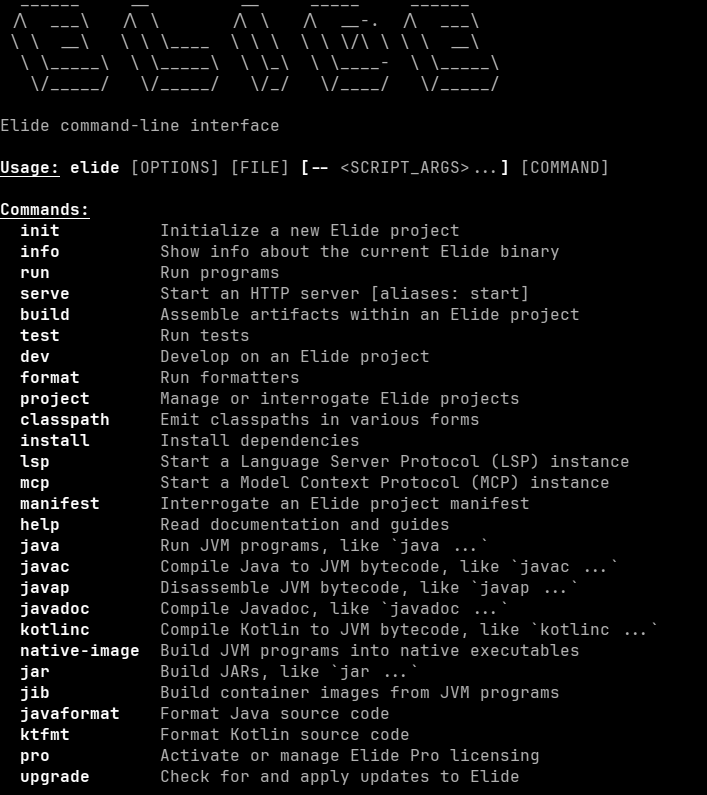
Troubleshooting
Follow the steps below if you're having trouble installing Elide:
1. Make sure Elide is on your PATHshell
2. Make sure you have the right binary for your OS and architecture
$  which elide
/some/path/to/elideshell
$  file `which elide`
/some/path/to/elide: Mach-O 64-bit executable arm64
Note
On Linux you should see an ELF binary.
System Requirements
Elide supports Linux, macOS, and Windows. The one-line shell script is for macOS, Linux, and WSL. Native Windows users should use the Windows installer or a manual Windows artifact.
| OS | Architectures |
|---|---|
| Linux | amd64 aarch64 |
| macOS | amd64 aarch64 |
| Windows | amd64 |